Skip to content
Adding & Managing Clients

Client status

1 min read Updated October 7, 2026

The Status column shows where each client is in joining mePro.

Note: All clients, names, emails, appointments and other data shown in the screenshots are sample data we created for this guide. They are not real people or real records.

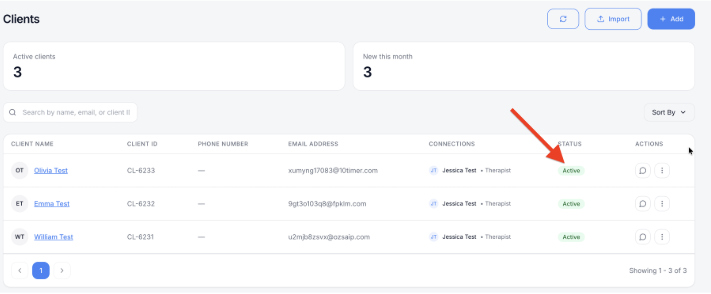
Once a client joins, their status changes to Active and the message icon appears.

Tip: If a client stays Imported for a while, they may have missed the email. You can send it again. See Resend an invite, edit or delete a client.

Was this article helpful?

Still need a hand?

Our team is happy to help. Reach out with a question, or book a live walkthrough and we'll show you around.

Not sure about how it works?

Book a demo to see mePro in action, ask questions, and explore how the platform can support your practice at every stage.

©2026 mePro. All rights reserved.
